BLACK DAYS · UP TO 25% OFF

BLACK DAYS · UP TO 25% OFF
BLACK DAYS
UP TO 25% OFF

VRChat can be connected with OWO Skin through the community-developed vrc-owo-suit integration. The setup uses a standalone application, a Unity package and VRChat OSC to communicate between your avatar and OWO.
Because every VRChat avatar is different, the integration requires some initial Unity configuration so the OWO contact zones are correctly positioned on your avatar.
Download the latest release from Shadorki’s GitHub repository. You will need both the standalone executable and the Unity package included with the integration.
Open the latest GitHub release and download the executable and the provided Unity package.
Open the Unity project that contains the avatar you want to use in VRChat and import the OWO Suit Unity package from the latest release.
From the Unity toolbar, open Shadoki > OWOSuit, assign your avatar to the available field and generate the OWO Suit objects.
Place the generated OWO objects inside the corresponding bones of your avatar’s armature.
Every avatar has different proportions. Adjust the VRC Contact Receiver capsule size for each generated OWO object so that the contact areas correctly match the corresponding part of your avatar.
Once your avatar is configured and uploaded to VRChat, run the downloaded vrc-owo-suit executable on your PC.
Click Connect inside the VRChat OWO application.
Then accept the connection from MyOWO. When everything is working correctly, both applications should show that they are connected.
OWO Suit IP Address: the integration’s developer recommends leaving this empty and using automatic detection when possible.
Server Port: leave the default port at 9001 unless you specifically need to change it.
The integration communicates with VRChat through OSC. If VRChat and the application are not communicating correctly, verify your VRChat OSC configuration.

VRChat is built around social presence, avatars and interaction. The community OWO integration uses contact receivers placed around the avatar to translate supported interactions into physical feedback through OWO Skin.
Because the contact areas are configured directly on your avatar, the experience can be adapted to different avatar proportions and layouts.
OWO contact receivers can be positioned across supported areas of your avatar, including the torso, back and arms. When those configured areas are interacted with, the integration can communicate the corresponding physical feedback through OWO.

VRChat already combines spatial audio, avatars and virtual environments to create social presence. OWO adds another sensory layer by extending supported avatar interactions beyond sight and sound.

Avatar proportions vary significantly across VRChat, so the integration lets you adjust the size and position of each contact receiver directly in Unity.
This means the detection areas can be adapted to better match the body layout of the avatar you are using.

Configured contact receivers can translate supported avatar interactions into physical feedback.
Contact areas can be resized and positioned in Unity to better match different avatar proportions.
Extend supported VRChat interactions beyond visual and audio feedback with OWO Skin.
Configure your avatar, connect your OWO Skin and experience supported VRChat interactions with physical feedback.
Connect with other developers and get support in the OWO Discord community
Join our DiscordOr get personal help from us!
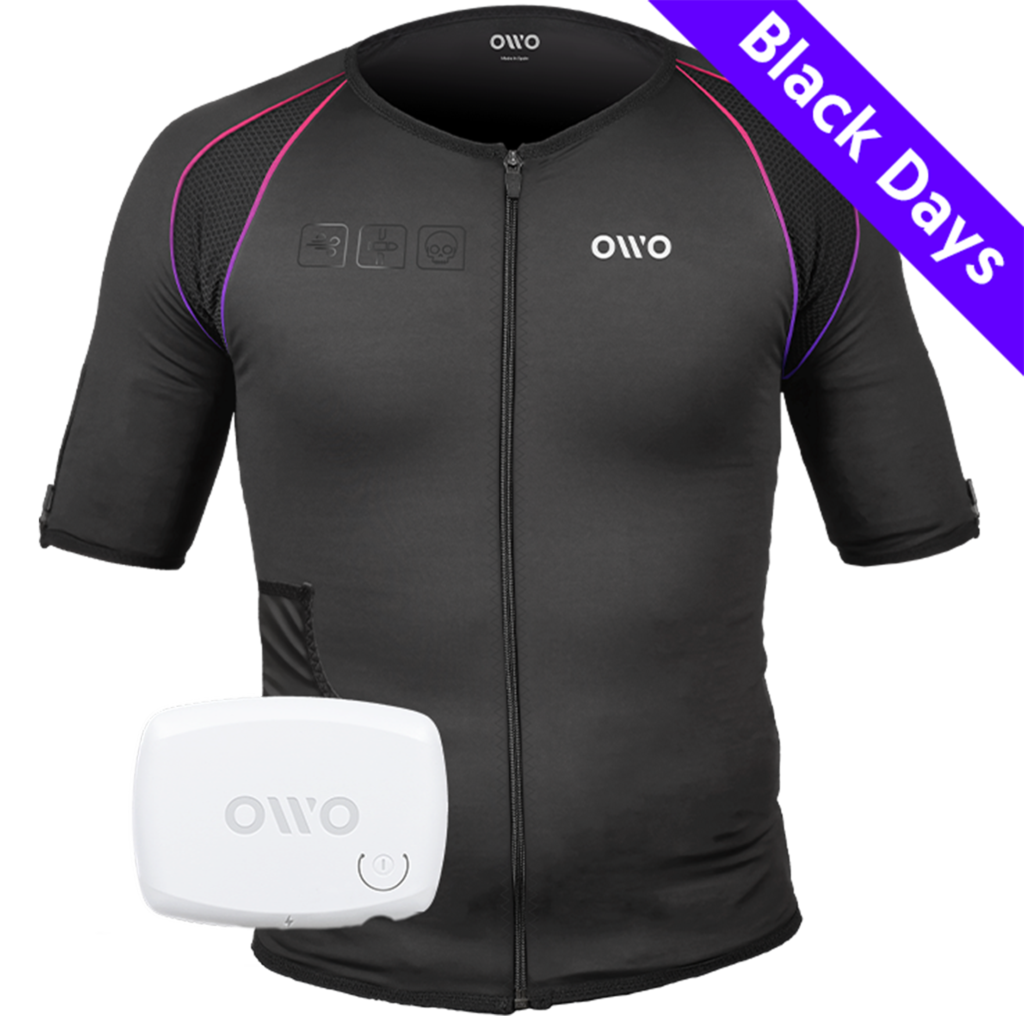
449,00 € Original price was: 449,00 €.329,90 €Current price is: 329,90 €.


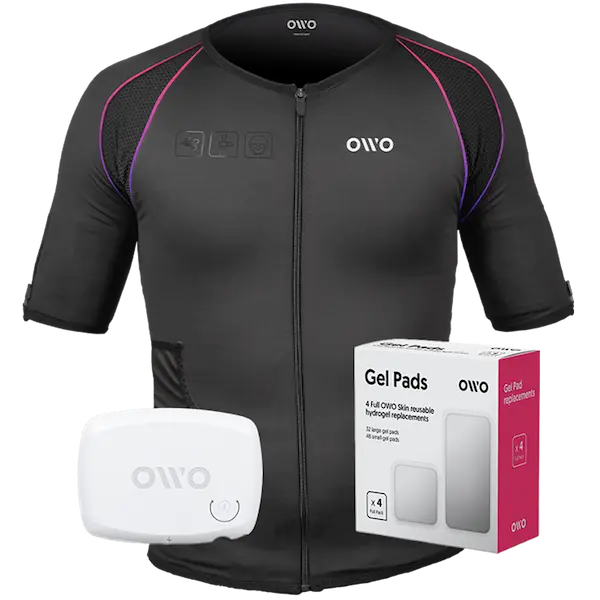
The OWO Original Edition Kit is a haptic gaming vest that uses electrical stimulation, not vibration, to recreate impacts, recoil, tension and environmental effects across 10 active muscle zones. Adjust the intensity to your body and feel 180+ compatible games.
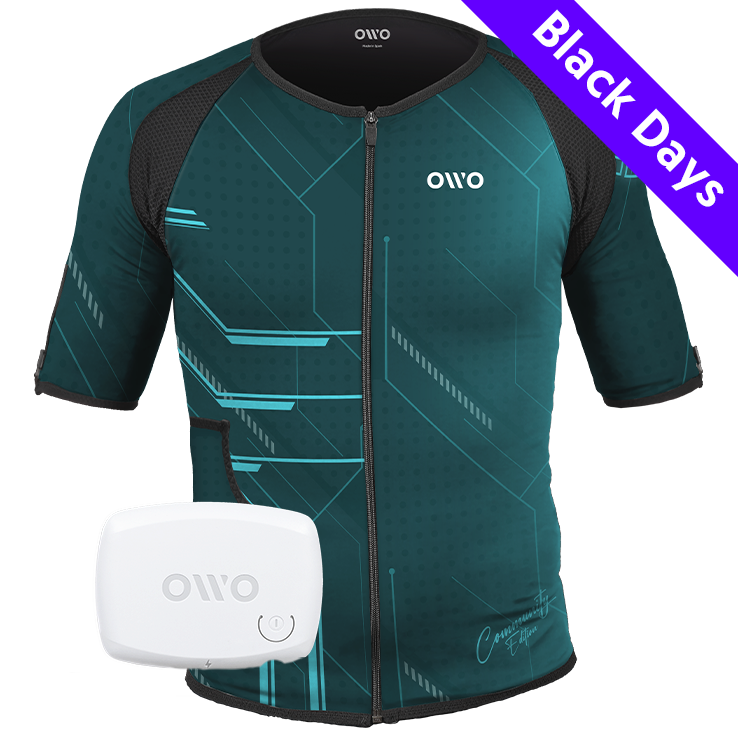
499,00 € Original price was: 499,00 €.320,00 €Current price is: 320,00 €.

OWO Community Month
35% off · Last units
479,00 €
Built for instant immersion and uninterrupted play. One iconic black OWO haptic vest, one device, and gels in one essential bundle.
We accept
Secure Checkout
Shopping is always safe and secure
Easy returns
you can request a return within 14 days of delivery
Need more help? Email us or call (+34) 672712281
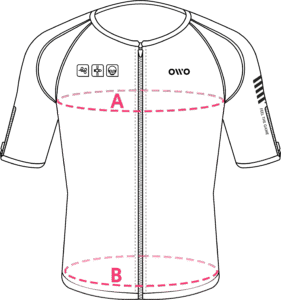
Measure your chest (A) and hips (B) following our indications.
The reference measurement will always be the larger of the two (A or B).
Look in the chart to which size corresponds to that measurement.
| Size | Reference measurements | |
|---|---|---|
| Inches | Centimeters | |
| 2XS | 25.6 – 29.4 | 65 – 74 |
| XS | 29.5 – 32.6 | 75 – 82 |
| S | 32.7 – 36.1 | 83 – 91 |
| M | 36.2 – 39.7 | 92 – 100 |
| L | 39.8 – 42.8 | 101 – 108 |
| XL | 42.9 – 46.3 | 109 – 117 |
| 2XL | 46.4 – 49.9 | 118 – 126 |
| 3XL | 50 – 53 | 127 – 134 |
| 4XL | 53.1 – 55.9 | 135 – 142 |