BLACK DAYS · UP TO 25% OFF

BLACK DAYS · UP TO 25% OFF
BLACK DAYS
UP TO 25% OFF
OWO Compatibility
Platform Compatibility
Genre
Available on
OWO Compatibility
Platform Compatibility
Genre
Available on

Stardew Valley works with OWO Skin through the Stardew Valley OWO integration mod. The mod uses SMAPI, the Stardew Valley Modding API, to connect supported gameplay events with MyOWO and your OWO Skin.
Follow the steps below to install SMAPI, configure your game client and add the OWO integration to your Stardew Valley installation.
The mod is available from both the official OWO Developers GitHub repository and Nexus Mods.
Install Stardew Valley and launch the game normally at least once if you have not done so previously.
Extract the SMAPI ZIP file into any folder, such as your Downloads folder.
Open the extracted folder, double-click install on Windows.bat and follow the on-screen instructions.
Configure Stardew Valley so that your game client launches the game through SMAPI.
Launch Stardew Valley once afterwards and confirm that the SMAPI window appears when the game starts.
Download Stardew Valley – OWO Integration from Nexus Mods or GitHub.
Open the Stardew Valley game directory and create a folder named Mods if one does not already exist.
Extract the contents of the downloaded OWO integration ZIP file into this folder.
Open MyOWO, connect and calibrate your OWO Skin, then launch Stardew Valley through SMAPI.
Once everything is connected, you’re ready to enjoy Stardew Valley with OWO.
If automatic connection is not working, create a text file named:
Enter the IP address used for the OWO connection inside the file and launch the game again.

Gather resources, grow your grandfather’s farm and become part of Pelican Town’s community while adding another physical layer to the experience with OWO.
From everyday farm work to fishing, changing weather and adventures beyond your crops, supported actions can become physical sensations through OWO Skin.
Farming is at the heart of Stardew Valley. Supported actions such as using your axe, hoe, pickaxe, scythe and watering can can become part of the physical experience while you build and maintain your farm.

Fishing becomes another part of the OWO experience. Supported events such as the fishing rod bending and a fish escaping add physical feedback to moments by the water.

Stardew Valley is filled with small moments beyond the farm. Rain, thunder, footsteps, eating, drinking, rewards, purchases, selling and opening chests can all become part of the physical experience.
When adventure calls, supported enemy interactions and damage events can also add another dimension while exploring the valley.

Tools, harvesting and other supported farm interactions become part of the physical experience.
Footsteps, weather and world interactions add another layer while you explore beyond your farm.
Combat, damage, rewards and other supported events add a physical dimension to your adventures.
Connect your OWO Skin and add physical feedback to farming, fishing, exploration and adventure across Stardew Valley.
Connect with other developers and get support in the OWO Discord community
Join our DiscordOr get personal help from us!
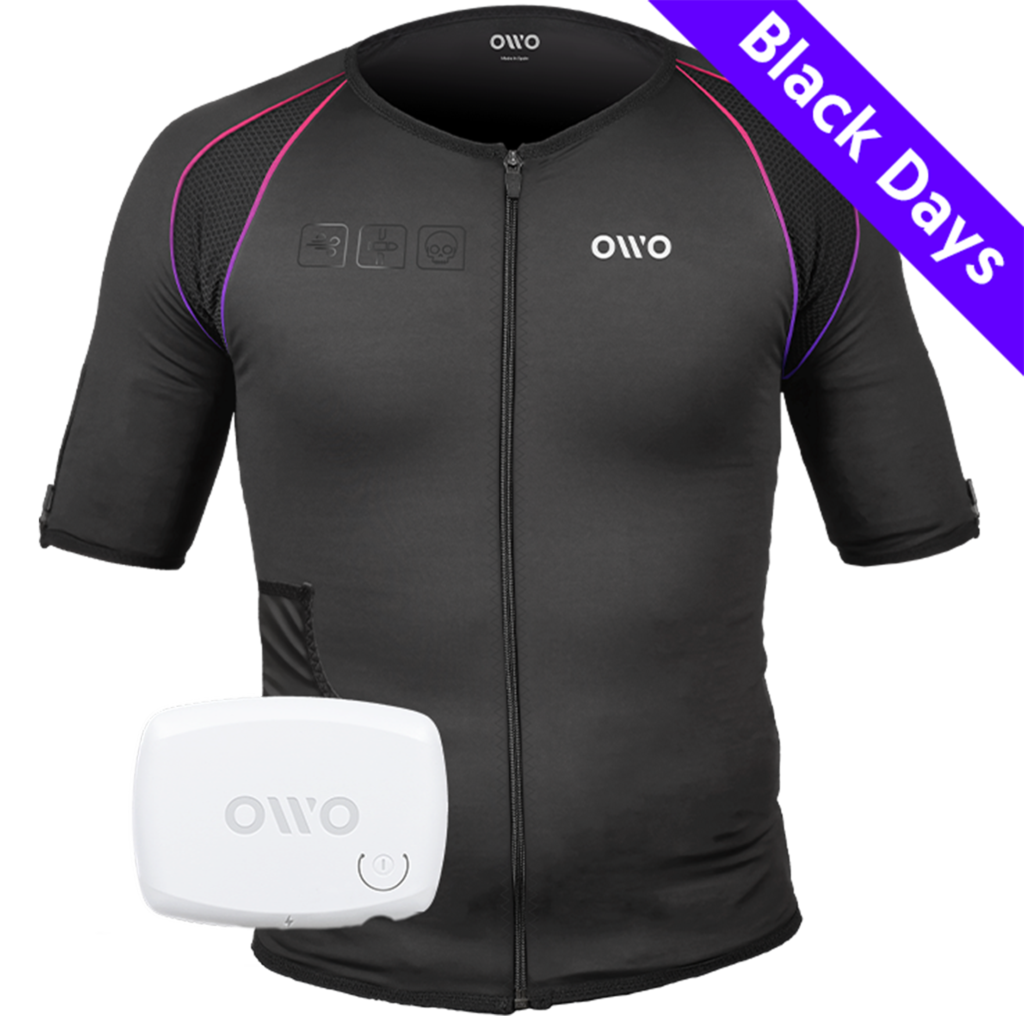
449,00 € Original price was: 449,00 €.329,90 €Current price is: 329,90 €.


The OWO Original Edition Kit is a haptic gaming vest that uses electrical stimulation, not vibration, to recreate impacts, recoil, tension and environmental effects across 10 active muscle zones. Adjust the intensity to your body and feel 180+ compatible games.
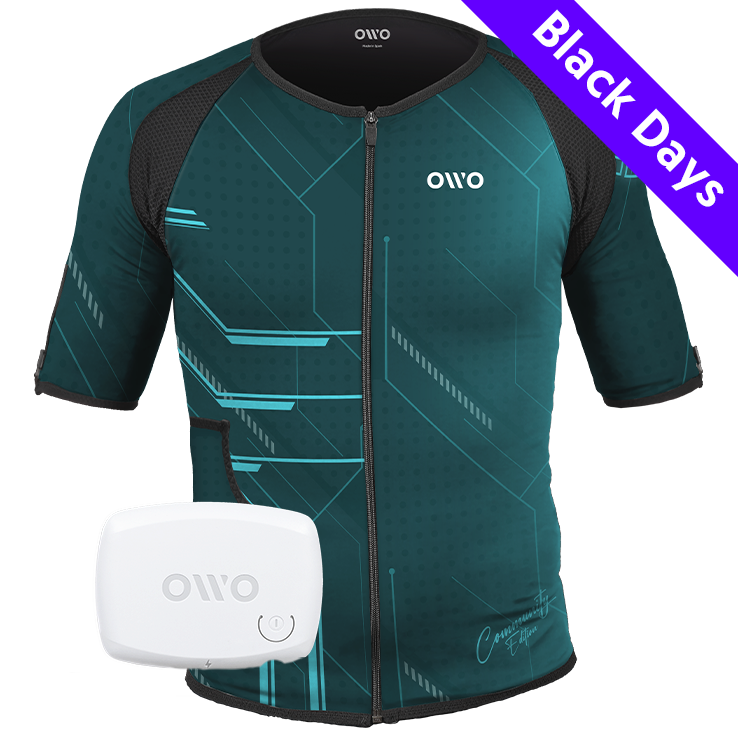
499,00 € Original price was: 499,00 €.320,00 €Current price is: 320,00 €.

OWO Community Month
35% off · Last units
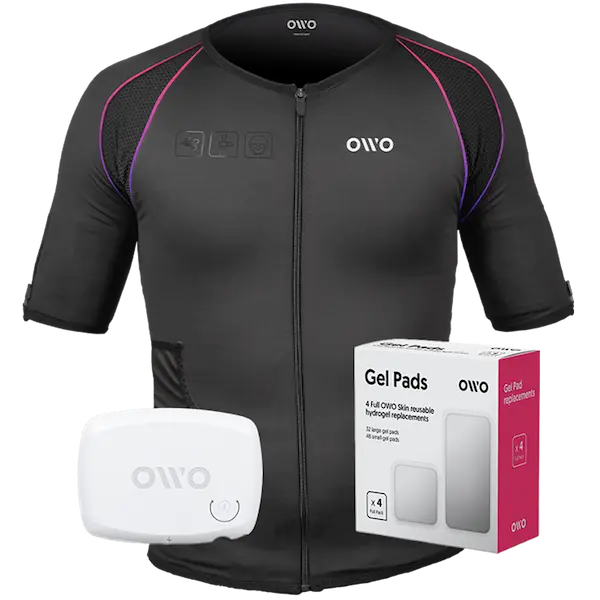
479,00 €
Built for instant immersion and uninterrupted play. One iconic black OWO haptic vest, one device, and gels in one essential bundle.
We accept
Secure Checkout
Shopping is always safe and secure
Easy returns
you can request a return within 14 days of delivery
Need more help? Email us or call (+34) 672712281
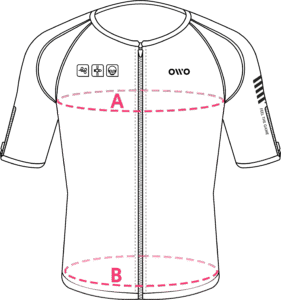
Measure your chest (A) and hips (B) following our indications.
The reference measurement will always be the larger of the two (A or B).
Look in the chart to which size corresponds to that measurement.
| Size | Reference measurements | |
|---|---|---|
| Inches | Centimeters | |
| 2XS | 25.6 – 29.4 | 65 – 74 |
| XS | 29.5 – 32.6 | 75 – 82 |
| S | 32.7 – 36.1 | 83 – 91 |
| M | 36.2 – 39.7 | 92 – 100 |
| L | 39.8 – 42.8 | 101 – 108 |
| XL | 42.9 – 46.3 | 109 – 117 |
| 2XL | 46.4 – 49.9 | 118 – 126 |
| 3XL | 50 – 53 | 127 – 134 |
| 4XL | 53.1 – 55.9 | 135 – 142 |