BLACK DAYS · UP TO 25% OFF

BLACK DAYS · UP TO 25% OFF
BLACK DAYS
UP TO 25% OFF
OWO Compatibility
Platform Compatibility
Genre
Available on
OWO Compatibility
Platform Compatibility
Genre
Available on

Counter-Strike 2 works with OWO Skin through OWO Connect and Overwolf. Follow the steps below to set up the connection between the game, MyOWO and your OWO Skin.
Once everything is connected, you can continue playing Counter-Strike 2 with your usual PC setup while adding physical feedback to supported gameplay.
Download and install the MyOWO App. Connect your OWO Skin and complete your calibration before launching Counter-Strike 2.
Start Counter-Strike 2. The OWO Connect overlay should appear on the left side of the screen. If it does not appear, press Ctrl + F.

Click the ON/OFF button inside the OWO Connect overlay. The icon above the IP address should turn orange, indicating that OWO Connect is active and waiting for MyOWO.
Return to MyOWO and select the Connect option when it appears.
Go back to Counter-Strike 2. The connection icon should now turn green. Your OWO Skin is connected and ready to use.

Counter-Strike 2 is built around fast decisions, precise gunplay and intense rounds. OWO adds a physical layer to supported gameplay, extending the experience beyond what you see and hear on screen.
Keep your usual setup, controls and playstyle while OWO Skin adds physical feedback to the experience. The goal is not to change how you play, but to make the action feel more present.
Gunplay is at the heart of Counter-Strike 2. OWO adds another sensory layer to supported combat moments, helping firefights feel less distant and more connected to the action happening in front of you.

From tense encounters to fast pushes and sudden firefights, Counter-Strike 2 constantly moves between anticipation and action. OWO helps reinforce that atmosphere by adding physical feedback to supported gameplay moments.

Counter-Strike 2 is about more than individual shots. Every round has its own rhythm: waiting, rotating, entering a site, holding a position and reacting when the action starts.
OWO complements that experience by adding a physical dimension to supported moments, making the game feel more immediate without changing the way you control or play it.

OWO introduces physical feedback to supported Counter-Strike 2 gameplay, adding another sensory layer to the experience.
Physical sensations can make supported moments feel closer and reinforce the atmosphere of fast, high-pressure rounds.
Continue playing Counter-Strike 2 with your usual monitor, mouse, keyboard and PC setup while adding OWO to the experience.
Connect your OWO Skin and experience Counter-Strike 2 with physical feedback that extends the action beyond the screen.
Connect with other developers and get support in the OWO Discord community
Join our DiscordOr get personal help from us!
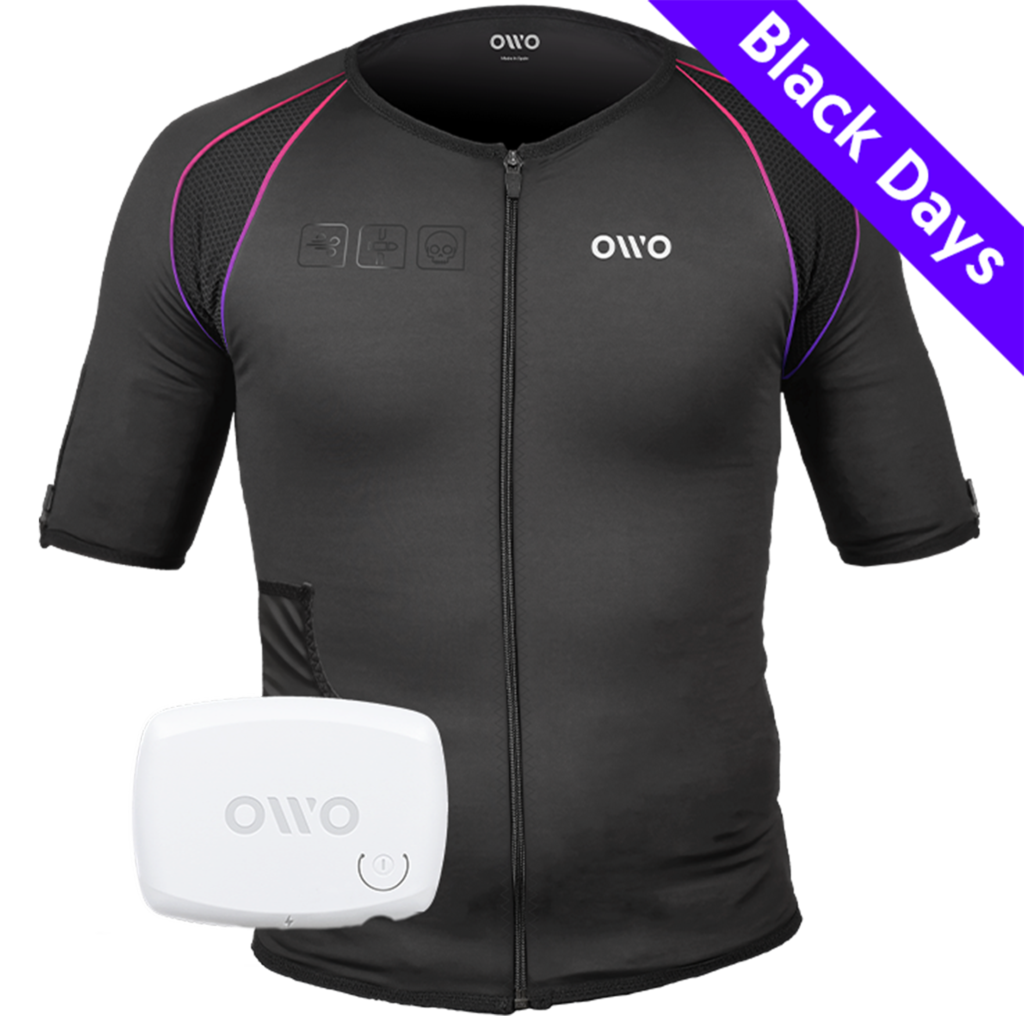
449,00 € Original price was: 449,00 €.329,90 €Current price is: 329,90 €.


The OWO Original Edition Kit is a haptic gaming vest that uses electrical stimulation, not vibration, to recreate impacts, recoil, tension and environmental effects across 10 active muscle zones. Adjust the intensity to your body and feel 180+ compatible games.
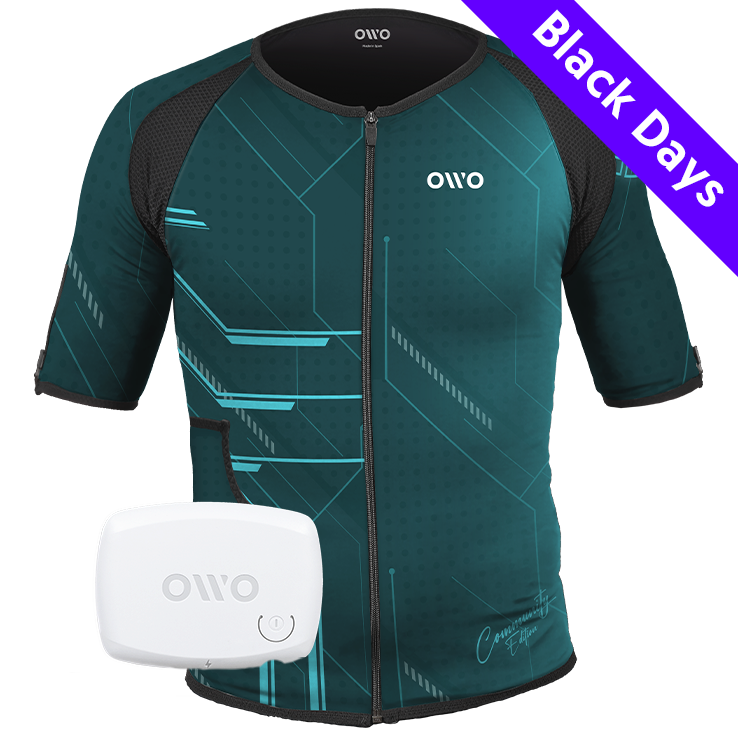
499,00 € Original price was: 499,00 €.320,00 €Current price is: 320,00 €.

OWO Community Month
35% off · Last units
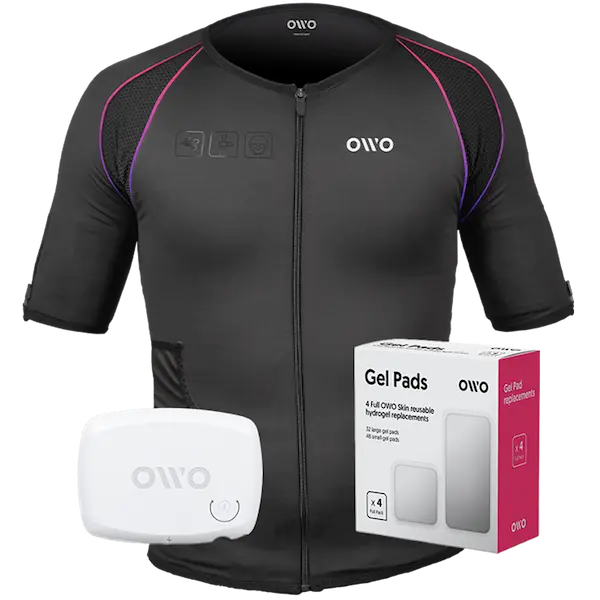
479,00 €
Built for instant immersion and uninterrupted play. One iconic black OWO haptic vest, one device, and gels in one essential bundle.
We accept
Secure Checkout
Shopping is always safe and secure
Easy returns
you can request a return within 14 days of delivery
Need more help? Email us or call (+34) 672712281
Measure your chest (A) and hips (B) following our indications.
The reference measurement will always be the larger of the two (A or B).
Look in the chart to which size corresponds to that measurement.
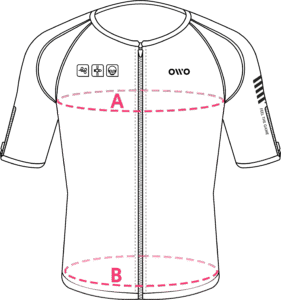
| Size | Reference measurements | |
|---|---|---|
| Inches | Centimeters | |
| 2XS | 25.6 – 29.4 | 65 – 74 |
| XS | 29.5 – 32.6 | 75 – 82 |
| S | 32.7 – 36.1 | 83 – 91 |
| M | 36.2 – 39.7 | 92 – 100 |
| L | 39.8 – 42.8 | 101 – 108 |
| XL | 42.9 – 46.3 | 109 – 117 |
| 2XL | 46.4 – 49.9 | 118 – 126 |
| 3XL | 50 – 53 | 127 – 134 |
| 4XL | 53.1 – 55.9 | 135 – 142 |